Lokad AI Chat
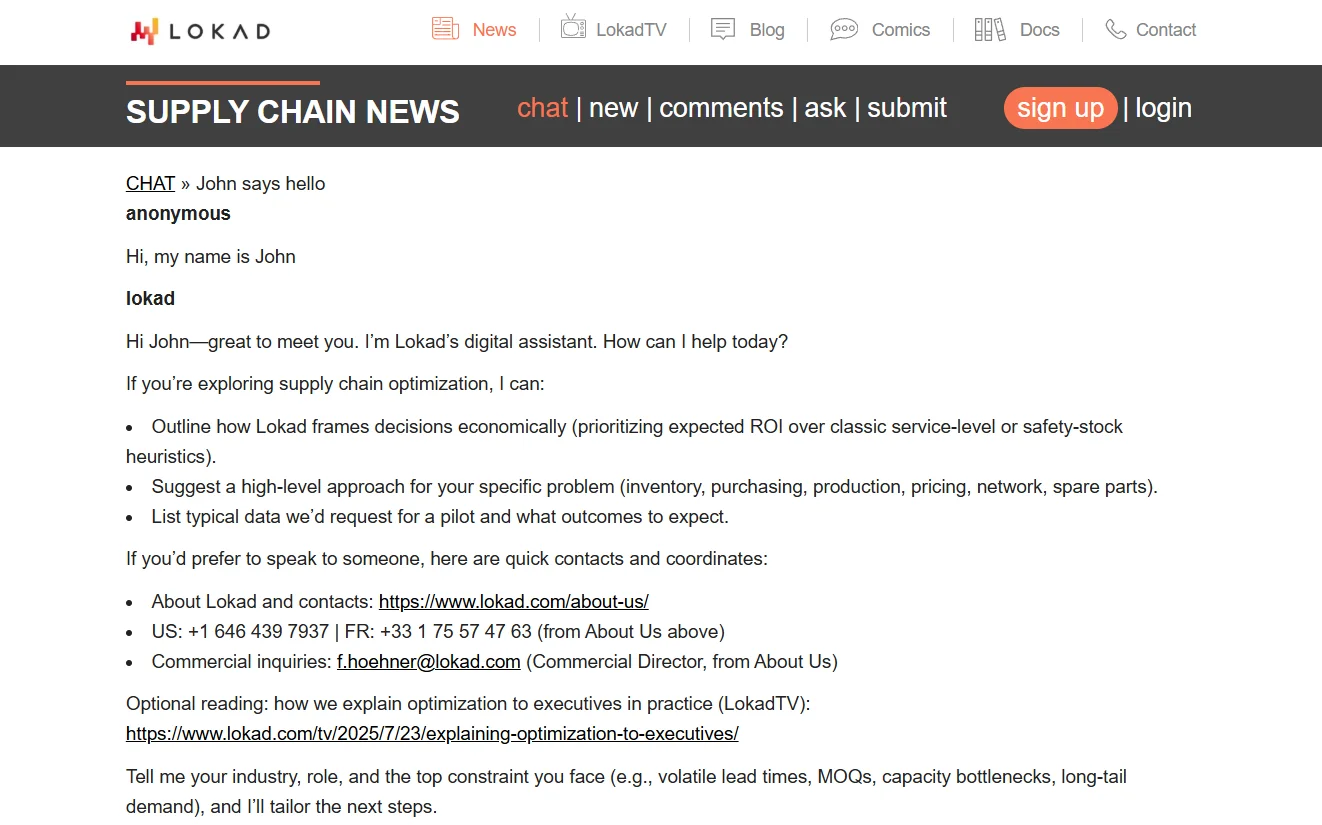
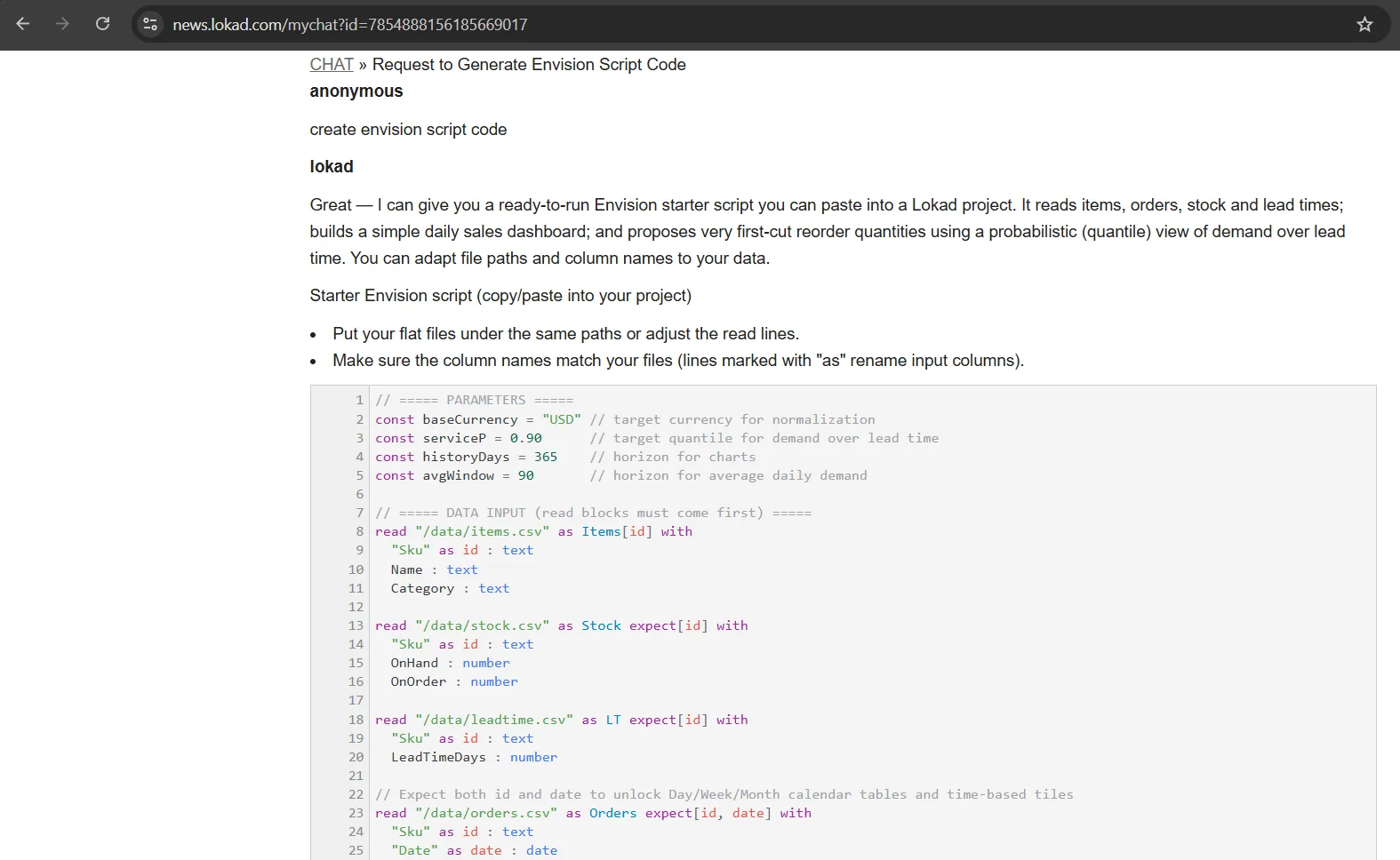
An AI assistant embedded inside the Lokad supply chain platform. The chat guides users through the platform, surfaces the right contacts, and — in Envision mode — generates, validates, and explains executable Envision scripts in real time. Conversation context is preserved across sessions so users pick up where they left off.
Challenges
Real-time event handling with user context
Each chat session needed to carry user-specific context across turns and surface it correctly to the model. We built a stateful event store using Lokad.AzureEventStore so conversations replay reliably and the model always has the right history — even across reconnects.
Detecting and switching into Envision mode
The chat has two personalities: general assistant and Envision code generator. Switching between them required multistep intent detection that could reliably identify when a user was asking for scripting help versus platform guidance — without false positives that would break normal conversation flow.
Formatting and highlighting Envision code
Envision is a proprietary language with its own syntax. The rendering layer needed to display properly formatted, syntax-highlighted code blocks inside chat messages — with no off-the-shelf highlighter available for the language.
Rate and quality control at generation time
Generated scripts had to be valid and executable, not just plausible-looking. We connected the chat directly to the Envision runtime so scripts could be validated on the fly before being shown to the user.
Our approach
Research & requirements
Studied real usage patterns, common questions, and the main difficulties users had with the Lokad platform and Envision. Defined the core behaviors the chat needed to cover and documented requirements before writing any code.
Context and mode architecture
Designed how the chat stores and replays conversation history using Lokad.AzureEventStore, and built the multistep intent detection that distinguishes general platform guidance from Envision code generation requests.
Code rendering and runtime integration
Built the Envision code formatter and syntax highlighter for the chat UI, then connected the backend directly to the Envision runtime so generated scripts are validated before being returned to the user.
Test, iterate, ship
Ran structured tests across the full range of user queries, measured script correctness rates, and iterated on the prompting strategy and detection logic until quality targets were met.
Result
82% of AI-generated scripts run correctly on the first try. 94% by the second. ~70% reduction in time to first working script.
By the numbers
82%
Scripts correct on first run
94%
Scripts correct on second run
~70%
Faster time to working script
99%
Context preserved across sessions
Tech stack


We want to hear your thoughts.
our CTO Kyrylo Osadchuk, will reply within 24 hours. No SDR funnel.
Start a conversation
We want to hear your thoughts
Re: Lokad AI Chat